
Let’s be honest. The only thing funny about April 1st in the IT world is the executive who thinks a single USB drive labeled “Backups” is a viable Disaster Recovery Plan. That’s not a prank! It’s a career-limiting move. While the rest of the world is busy with harmless jokes, you’re one spilled coffee, one malicious click, or one tired old spinning disk away from a full-blown catastrophe. Data loss isn't a punchline. It’s a game over screen with no continue option.
The sheer velocity of data creation in modern business means that a reactive stance is a losing strategy. You can't just 'load last save' when your customer database gets encrypted or your primary file server’s RAID controller gives up the ghost. The lag between failure and recovery is where businesses bleed cash, reputation, and customer trust. This isn't about just copying files. It's about architecting resilience. It’s about building a Business Continuity strategy that makes data loss a minor inconvenience, not an extinction-level event. So, let's ditch the wishful thinking and spec out a proper build that can withstand a direct hit.

Before you can power-scale your defenses, you need to be brutally honest about the vulnerabilities in your current setup. Too many organizations are running on legacy backup logic that’s full of friction and single points of failure. Let's audit the most common weak points.
Are you relying on a single external hard drive that sits right next to the server it's backing up? That’s like having one save file for a 100-hour RPG and keeping it on the same memory card. One hardware failure, one fire, one theft, and your entire progression is wiped. It’s a rookie mistake, but it's astonishingly common.
What about the “cloud sync” fallacy? Thinking that Dropbox, OneDrive, or Google Drive sync is a backup is a critical misunderstanding of the tech. These are file synchronization and collaboration tools. If a file gets corrupted or encrypted by ransomware on your local machine, that corrupted version is happily synced to the cloud, overwriting your ‘good’ copy. It’s a replication tool, not an isolated, point-in-time recovery mechanism. It offers zero protection against logical data corruption.
Then there’s the manual backup, the digital equivalent of a prayer. Someone is supposed to run it weekly, but then a holiday weekend hits, they get pulled into a priority-one ticket, and suddenly your last good backup is three weeks old. Manual processes are doomed to fail because they rely on perfect human execution, which is a statistical impossibility. You need automation, verification, and alerting, to make a system that works even when your team is swamped.
If you want to move from amateur hour to a pro-tier resilience posture, you need to adopt the industry meta. The 3-2-1 Backup Strategy isn't just a guideline, it's the foundational logic for any serious approach to data protection. It’s simple to understand but provides a powerful framework for mitigating nearly any failure scenario.
Executing the 3-2-1 strategy transforms your backup from a hopeful afterthought into a core pillar of your Business Continuity plan. It’s the difference between crossing your fingers and holding a winning hand. Which is why we at Bi101 send out the Weekly Slinky, with reminders of best practices and tips and tricks for your success.
Choosing the right Data Backup Solutions often comes down to a strategic fight: do you keep your data close on-prem, or leverage the hyperscale power of the cloud? The truth is, the optimal build for most mid-market and enterprise players is a hybrid approach, but understanding the strengths and weaknesses of each is critical to making an informed decision.
On-premise solutions mean you own and control the entire hardware stack. You buy the servers, the storage arrays, and the networking gear. It's like hosting your own dedicated game server.
Cloud backup, or Backup-as-a-Service (BaaS), offloads the infrastructure management to a third-party provider. You pay a subscription fee, and they handle the hardware, durability, and often the geographical redundancy.
The winning move? A hybrid model. Use a local on-premise appliance for fast operational recovery of critical files and systems, and replicate those backups to the cloud for long-term archival and true disaster recovery. This gives you the best of both worlds: low RTO for common failures and a robust, off-site safeguard for major disasters.
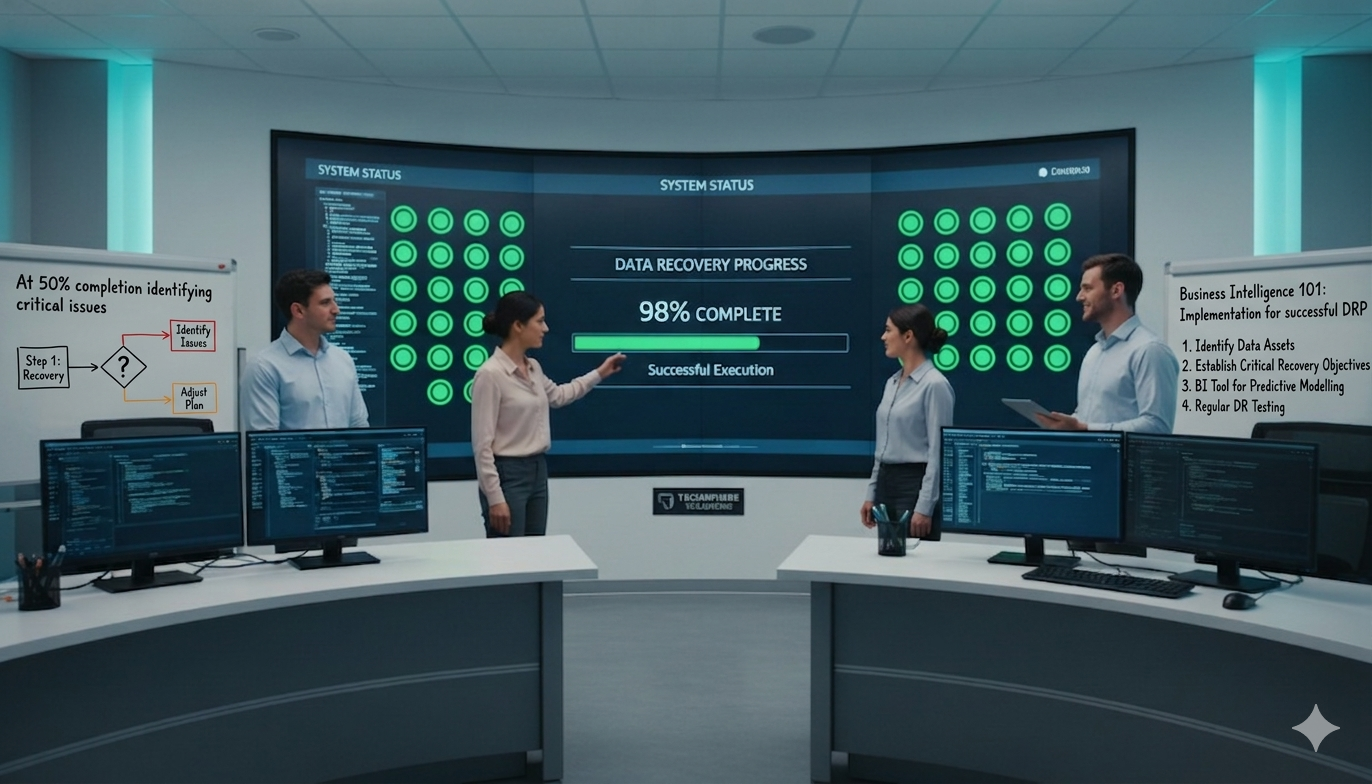
Having backups is great. Knowing how to use them under pressure is what separates the pros from the victims. A Disaster Recovery Plan (DRP) is the strategy guide that turns your backup technology into a functioning business-saving process. A DRP that hasn't been tested is just a fantasy novel.
First, you must define your core metrics:
Your DRP must be a clear, actionable document. It should define roles and responsibilities, like who declares a disaster? Who is authorized to initiate a failover? It needs a communication plan for employees, customers, and stakeholders. Most importantly, it needs step-by-step technical procedures for recovering systems in a specific, prioritized order. And you must test it. At least twice a year, run a failover test. See if you can actually meet your RTO and RPO. The test will always reveal flaws in your plan. Find them in a drill, not in a real crisis.
Navigating the maze of Data Backup Solutions, cloud providers, and security protocols creates immense vendor fatigue. You could spend months negotiating with a BaaS provider, a separate cloud storage vendor, and a security consultant just to build one piece of your DRP. This is where the old model breaks down. The friction is too high.
At Bi101, we don't just sell you a product from a catalog of over 5,000 solutions. We act as your vendor-agnostic technical advisor. We leverage the AppDirect platform to architect a holistic Business Continuity strategy. We can help you design that optimal hybrid solution combining the right on-premise appliance with the most cost-effective cloud backend and consolidate it all into a single invoice. Our 'single pane of glass' approach eliminates the vendor sprawl and gives you clear visibility into your entire tech stack, from SaaS licenses to your DRaaS contract.
We help you define your RTOs and RPOs and then match them with technology that makes sense for your budget and goals. We turn a complex, fragmented procurement process into a streamlined, strategic advantage. We find the frame-perfect pivot that turns a high-stakes risk into a hardened, resilient system.
This April, the joke is on anyone still running a backup strategy built on hope and a single point of failure. The stakes are too high to be unprepared. A robust data protection strategy is not a cost center, it's a fundamental investment in your organization's survival and scalability.
Here are your key takeaways:
Stop theory-crafting and start executing. A resilient tech stack isn't just about preventing disaster, it's about building the confidence to operate at high velocity, knowing you have a plan for anything.

Executive Technology Advisor
Voltaire famously said "Common sense is not so common"